I know I said I wasn't going to add more stuff, but I couldn't help myself :D
I've added a shortcut (+) for "Go deeper" in analysis. Normally, the local analysis goes until a predetermined limit. Lichess has one by default, around depth 24, but it depends on your computer characteristics, and of course with LiChess Tools you can set that limit to a specific value. When analysis reaches that point it stops and gives you a + button to continue analysis... only it doesn't continue it, it starts it over, since UCI has no concept of "restart from where you left off". That's annoying. Now pressing + even before reaching the limit will set the analysis to unlimited for that node, so it will continue to go deeper.
I do intend to add the + button, too, but I am in no hurry now that the shortcut exists.
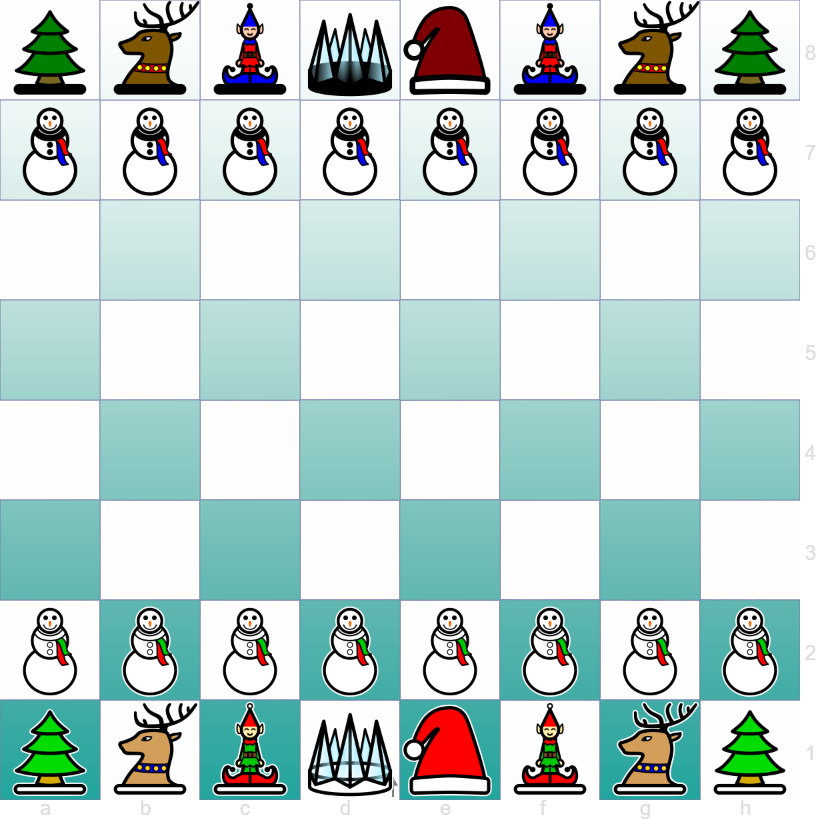
Also added a few more piece sets. Remember, you have to enable them from Preferences, then choose them from the normal piece set selection panel.
And I fixed bugs. One of the nastiest was that search in PGN Editor was broken. Now it works
Cheers!
I know I said I wasn't going to add more stuff, but I couldn't help myself :D
I've [added a shortcut (+) for "Go deeper"](https://siderite.dev/blog/lichess-tools---user-manual/#customEngineOptions) in analysis. Normally, the local analysis goes until a predetermined limit. Lichess has one by default, around depth 24, but it depends on your computer characteristics, and of course with LiChess Tools you can set that limit to a specific value. When analysis reaches that point it stops and gives you a + button to continue analysis... only it doesn't continue it, it starts it over, since UCI has no concept of "restart from where you left off". That's annoying. Now pressing + **even before reaching the limit** will set the analysis to unlimited for that node, so it will continue to go deeper.
I do intend to add the + button, too, but I am in no hurry now that the shortcut exists.
Also added a few [more piece sets](https://siderite.dev/blog/lichess-tools---user-manual/#extraPieceSets). Remember, you have to enable them from Preferences, then choose them from the normal piece set selection panel.
And I fixed bugs. One of the nastiest was that search in [PGN Editor](https://siderite.dev/blog/lichess-tools---user-manual/#pgnEditor) was broken. Now it works
Cheers!
I guess this also counts as a holiday present:
:-D
I guess this also counts as a holiday present:

:-D

