
Position Search in the Forward Chess library
Searching for positions in books you own and do not own is now possibleForward Chess is my favourite chess e-book reader!
(I am not affiliated with Forward Chess and do not get sponsored. I am just sharing my excitement about this new tool as a user.)
If you are familiar with Forward Chess, please skip the 'Introduction' and read the 'Search for Position' paragraph.
Introduction
Forward Chess offers more than 1,100 books from all major publishers in digital form.
I have about 25 books and read them on my iPad, iPhone and laptop.
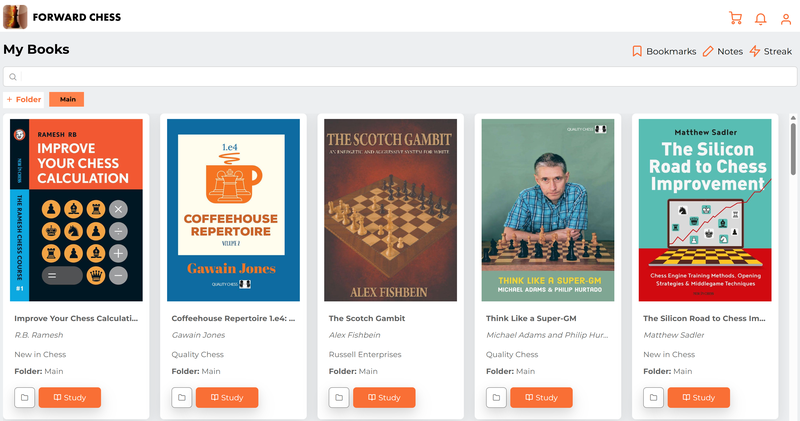
A sample of some of the books I have on Forward Chess
Forward Chess is like Kindle for chess. Like on Kindle, you can highlight text, make bookmarks, add notes, etc.
But as you can see in the picture below. Forward Chess also gives you a board with an engine to play through the moves and try your own variations.
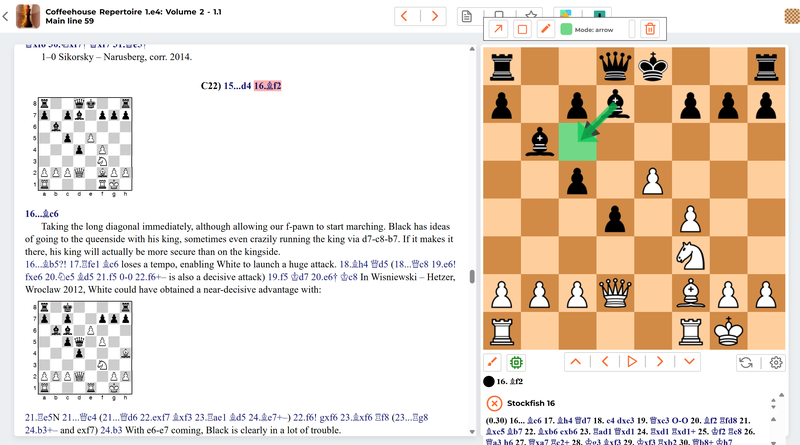
A look inside a book on Forward Chess with the board open and the engine on
Some of the main advantages of Forward Chess are:
- Portability: You always have your complete chess library with you
- Efficiency: You do not have to spend time setting up a position
- Cheaper: Forward Chess e-books are often cheaper than physical books
- Instant Fullfillment: If you buy a book, you can immediately start reading it and do not have to wait for shipping
- Strong engine: Stockfish 16, post NNUE (Chessable: Stockfish 14 = pre NNUE)
- Extensive library (more than 1,100 books) with all major publishers represented
Search for Position
Forward Chess has introduced the possibility to search for a position in the complete Forward Chess library.
It not only searches in the main lines but also in all the subvariations. This contrasts with Chessable, where the search for positions is limited to trainable variations and subvariations are not included in the search.
If you own the book on Forward Chess, you can get to the relevant position in the book with one click.
If you do you own the book, you get a 'snippet' from the book showing the position and commentary in the book.
These 'snippets' are little pearls: sometimes enough as a second opinion, and sometimes you want more, and you buy the book.
In Chessable, if you do not own a course, you will be shown the course for buying, but no content related to the position itself.
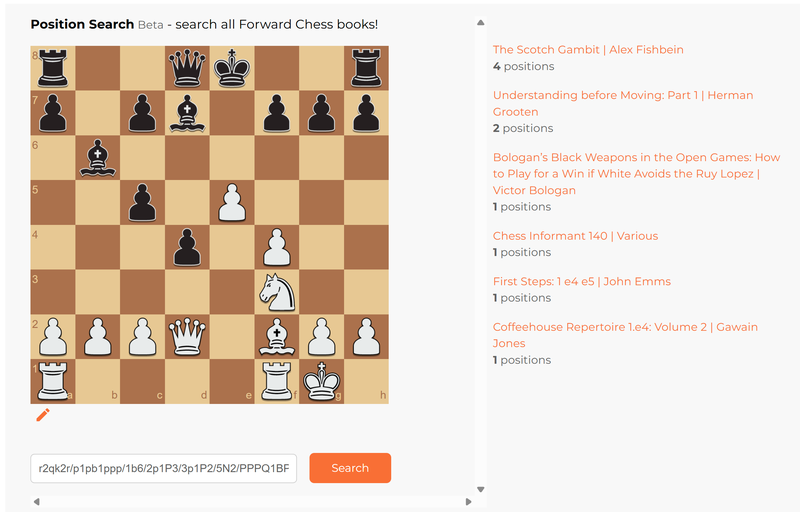
An example of a search: the result shows a listing of books in which the position occurs
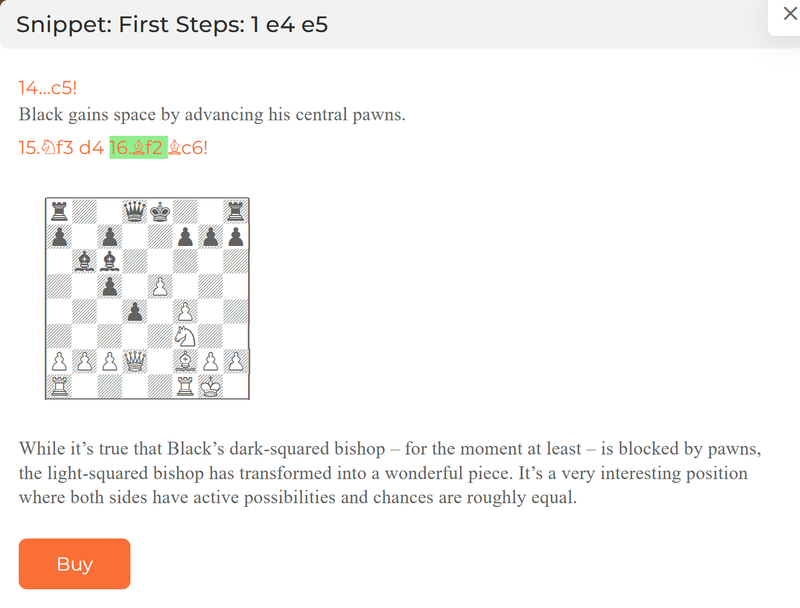
A 'snippet' of a book by John Emms (that I do not own)
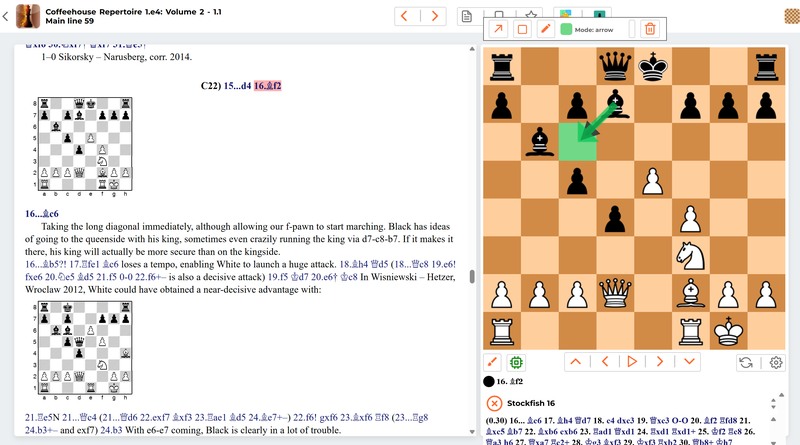
If you own the book, you can go to the relevant position with one click.
For me, this new functionality is a game-changer.
Some use cases:
- When you watch a broadcast, you can look up the theory in the Forward Chess library with one click.
- In your game review, you can look up your theory with one click and subsequently define spaced repetition for improvement with one click.
- When you study on Chessable, you can search for a position in Forward Chess to get a different perspective.
What is unique:
- Search in the complete library of Forward Chess
- Search in main lines and all subvariations
- High-quality 'snippets' for books you do not own
- Ability to go with one click to the exact position in the book for books you own
- Ability to define spaced repetition for any position in the book
If you want to see the use of this new function in practice, please watch my video:
https://youtu.be/c8lo9HLvWGY
You may also like
 ChessMonitor_Stats
Where do Grandmasters play Chess? - Lichess vs. Chess.com
This is the first large-scale analysis of Grandmaster activity across Chess.com and Lichess from 200… FM benkonian
“Are you studying openings wrong? A Coach’s Honest Take”
Openings are probably the most discussed topic in the chess community, especially at the club level.… CM HanSchut
The Tortoise and the Hare
On Puzzle Storm (speed), Puzzle Streak (accuracy) and Lichess Ratings FM CheckRaiseMate
A Strategic Rule I've Never Seen Before
How do you choose which piece to use for defense? FM CheckRaiseMate
The Power of a Plan
And how to make the engine into an effective teacher CM HanSchut