A Lichess Moderator said in #19:
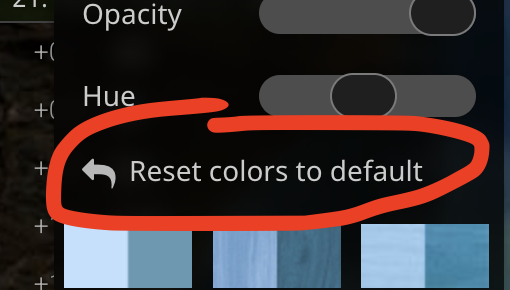
Do you still see it after reseting hue and opacity? Try clicking this button here and let us know after a few days.
Tried it, also still have purple dots and whole squares sometimes.
A Lichess Moderator said in #19:
> Do you still see it after reseting hue and opacity? Try clicking this button here and let us know after a few days.
>
> 
Tried it, also still have purple dots and whole squares sometimes.
Still seeing the pink boxes appear. Tried the recommendation of resetting colors to default. No change. Cleared my cache, closed the browser, no change.
Still seeing the pink boxes appear. Tried the recommendation of resetting colors to default. No change. Cleared my cache, closed the browser, no change.
Same, sometimes purple squares, sometimes cyan 1x1 pixels on the piece destinations:


Firefox 145.0.1
Same, sometimes purple squares, sometimes cyan 1x1 pixels on the piece destinations:


Firefox 145.0.1
I've just fixed it by setting gfx.webrender.software to false
I've just fixed it by setting `gfx.webrender.software` to false
@rinf said in #24:
I've just fixed it by setting gfx.webrender.software to false
how do you do that?
i also still have the problem, and feel like its happening more
@rinf said in #24:
> I've just fixed it by setting `gfx.webrender.software` to false
how do you do that?
i also still have the problem, and feel like its happening more
@LaurensVries said in #25:
how do you do that?
Assuming you have overridden it at all, go to about:config in address bar, search for it, and set it to false.
I had probably set it to true years ago when I had a NVIDIA GPU and web rendering was buggy or not very stable with it. Everything seems fine for me now with gfx.webrender.all = true and gfx.webrender.software = false with an AMD GPU, but your system might be different.
@LaurensVries said in #25:
> how do you do that?
Assuming you have overridden it at all, go to about:config in address bar, search for it, and set it to false.
I had probably set it to true years ago when I had a NVIDIA GPU and web rendering was buggy or not very stable with it. Everything seems fine for me now with `gfx.webrender.all = true` and `gfx.webrender.software = false` with an AMD GPU, but your system might be different.
i havent overridden anithing its just an out of the box experience for me.
i havent overridden anithing its just an out of the box experience for me.
@rinf said in #26:
how do you do that?
Assuming you have overridden it at all, go to about:config in address bar, search for it, and set it to false.
I had probably set it to true years ago when I had a NVIDIA GPU and web rendering was buggy or not very stable with it. Everything seems fine for me now with gfx.webrender.all = true and gfx.webrender.software = false with an AMD GPU, but your system might be different.
I already had those settings. Problem occurred despite those settings, had it happen on two puzzles within the last 30 minutes.
@rinf said in #26:
> > how do you do that?
>
> Assuming you have overridden it at all, go to about:config in address bar, search for it, and set it to false.
> I had probably set it to true years ago when I had a NVIDIA GPU and web rendering was buggy or not very stable with it. Everything seems fine for me now with `gfx.webrender.all = true` and `gfx.webrender.software = false` with an AMD GPU, but your system might be different.
I already had those settings. Problem occurred despite those settings, had it happen on two puzzles within the last 30 minutes.
It is happening to me also.
Firefox 145.0.2.
Linux Ubuntu 24.04.3 LTS
It is happening to me also.
Firefox 145.0.2.
Linux Ubuntu 24.04.3 LTS
