
Generated by Fotor AI
Chess Forge - Free Open Source Windows application facilitating chess training
In a single, compact application, Chess Forge offers a rich set of tools and techniques for effective chess studies and training.Feature Overview
You can find a very brief outline of the main functionality on the program's download page while Chess Forge's key differentiating feature is described in the Training Mode section below.
Naturally, the program has all the features that you would expect in a fully fledged chess application. It is not possible to list, let alone describe, all of them, in this short article.
So, let's just mention a rich set of functionality for storing and editing games, opening variation trees, exercises and endgames. See the Workbooks section below.
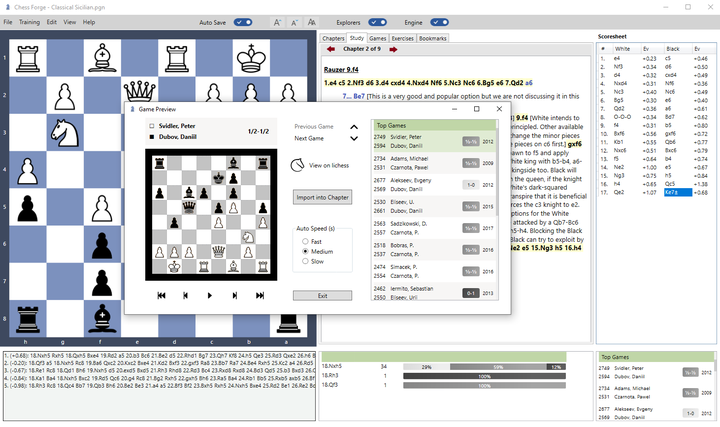
As you can notice in the screenshot above, if the hosting PC has Internet access, Chess Forge can connect to lichess.org and obtain relevant data through its public API. Depending on the position being analyzed, it will show the Opening / Endgame Explorer and/or the list of applicable Master Games.
In addition, the user can request that games of a particular player be downloaded from lichess.org or chess.com.
The program comes packaged with the Stockfish engine. The engine can be used for continuous evaluation of positions being viewed, for training or for playing a game against it.
Training Mode
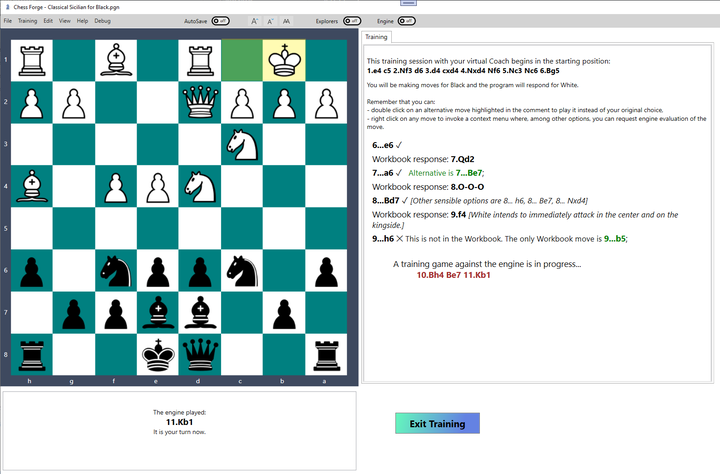
Chess Forge's key differentiating feature is a special training mode where users can test themselves against an item (a Study Tree or a Game) in the Workbook. The program will assess users' moves against that item and report after each move. If they wish to, users can request engine evaluation on all training moves too. When the Workbook line ends, or the user diverts from it, a game against the engine will start automatically. The training line/session can be roll back to any preceding move or position at any time.
Workbooks
The application uses the standard PGN format with some Chess Forge's specific extensions.
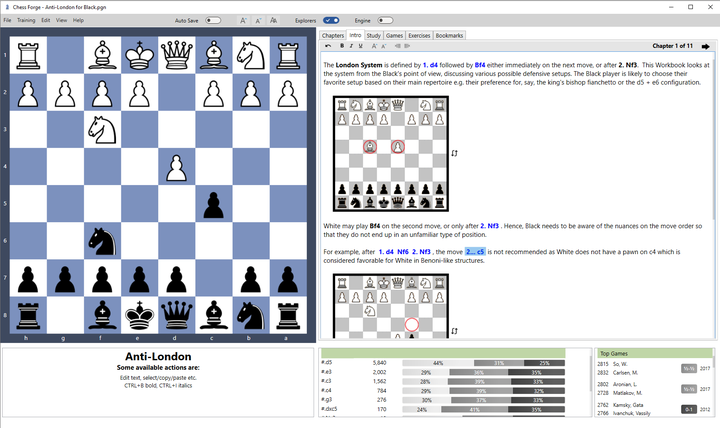
Chess Forge's PGN data file is called a Workbook. It is divided into Chapters, each of which contains an optional Intro (rich formatted text with diagrams and clickable moves), a Study Tree plus any number of Games and Exercises.
Download and Installation
Chess Forge is available from the Source Forge web site. It can be installed as a standard Windows application or used as a portable application (so, for example, you can run it from a USB drive, without any installation, if you wish). Details can be found here.
The installation/distribution contains several sample Workbooks with opening variations, endgames etc.
You may also like
 BenjiPortheault
Ubuntu
The African philosophy that guides us to be better people. czbar
czbarKing into the Line of Fire (Ke8-d8-c7)
In a departure from conventional strategy, King Magnus and King Anatoly steer their royal proxies to… A_Bohemian
'F' is for Forget-about-it (?)
Looking at pawn move accuracy with the help of lots of data czbar
czbarEndgame Tragicomedies at the World Cup 2025
Rook endgames are notoriously difficult. Many a strong grandmaster has blundered even in the thoroug… thibault
How I started building Lichess
I get this question sometimes. How did you decide to make a chess server? The truth is, I didn't. GM NoelStuder