
Made by @StarkTechnology (Me)
How to use mobile chess apps in pc without emultor?
You can play mobile chess games if you work as this instructions.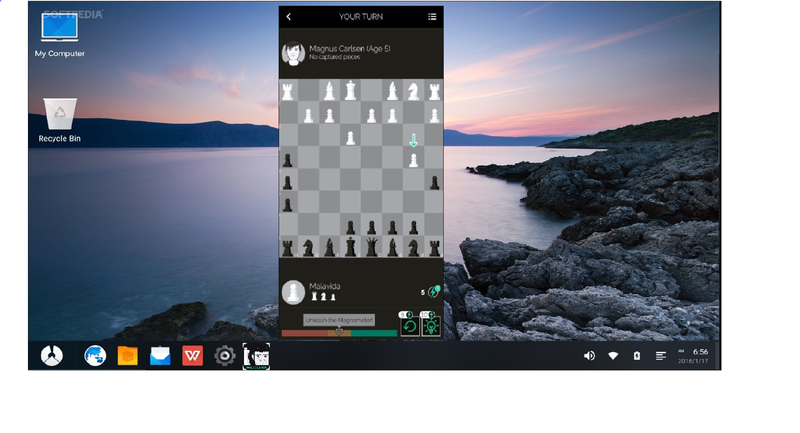
How to use mobile chess apps (Play Magnus,...) in pc without emulator?
No Emulators (Bluestack, Gameloop etc..)
Virtual tablet in a PC
First Download these,
Disk Genius
Android x86 installer
Phoenix OS
First Step,
1 First open file explorer.
2 Right click on ‘This PC’ and select ‘Manage’.
3 Next select ‘Disk Management’ on the list located left of the window.
4 Select a disk that have 32GB or more free.
5 Next right click it and select ‘Shrink Volume’ and enter 32GB as it’s storage.
6 Next close the window.
Second Step,
1 Download and open disk management file. There is a application named ‘Disk Management’. Open it.
2 Right click on you shrunk (Shrink(ed)) volume and select create new partition.
3 Set file system as ‘Ext4 Linux Data’ and give a volume lable.
4 Next click ‘Save All’
Third Step,
1 Download ‘Android x86 installer’ and ‘Phoenix OS’.
2 Open ‘Android x86 installer’
3 Click ‘Next’
4 Next it will open a small window give it ‘Yes’.
5 Next select ‘Phoenix OS’ (Downloaded from my link)
6 Give a name and select the square named ‘extFS’ and next select ‘Next’
7 Give ‘Yes’ ‘Cancel’ ‘No’ etc.. where neccesery.
8 Next select finish.
Last Step
1 Restart your pc.
2 After booting bios next you can see a menu.
3 Then in the list you can see the name that you gave in third step.
4 Use arrow keys and select it.
5 Press enter then you can see a menu again.
6 Again select ‘Boot Normally’
7 Wait few minutes.
8 Then your pc will work as a tablet.
9 Select language as English.
10 Then sign into play store and download Chess apps.
Join Our Team for more information.....
https://lichess.org/team/stark-technology
Or contact me....
https://lichess.org/@/StarkTechnology
